
Genie Wallet & Payout Guide: How to Track Earnings and Request a Payout
Your Genie Wallet
Your Genie Wallet is where your earnings land after a task is completed and approved. You can access it from your dashboard:
Home → Genie Wallet
Once funds are in your wallet, you can request a payout at any time — subject to the cut-off schedule below.
How Earnings Get Into Your Wallet
After you complete a task:
-
The client has 7 calendar days to review and approve the work.
-
If the client approves — or takes no action within 7 days — the task is automatically approved.
-
Your earnings are added to your Genie Wallet.
-
You'll receive an email notification confirming the amount added, the task it came from, and the date it was credited.
You receive 70% of the task's total payment. RemoteGenies retains 30% as the platform fee.
Understanding Your Wallet Tabs
TabWhat it showsAllYour complete transaction historyIncoming RevenuePayments from tasks still in progress or within the 7-day review window — not yet withdrawableWalletApproved funds available for payoutPendingPayout requests you've submitted that are under reviewReleasedPayouts that have been processed and sentCancelledPayout requests that were cancelled
You can only request a payout from your Wallet balance — funds under Incoming Revenue are not yet available.
How to Request a Payout
-
Log in to your RemoteGenies account.
-
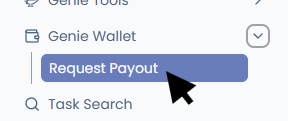
Go to Genie Wallet → Request Payout from the left menu.
-
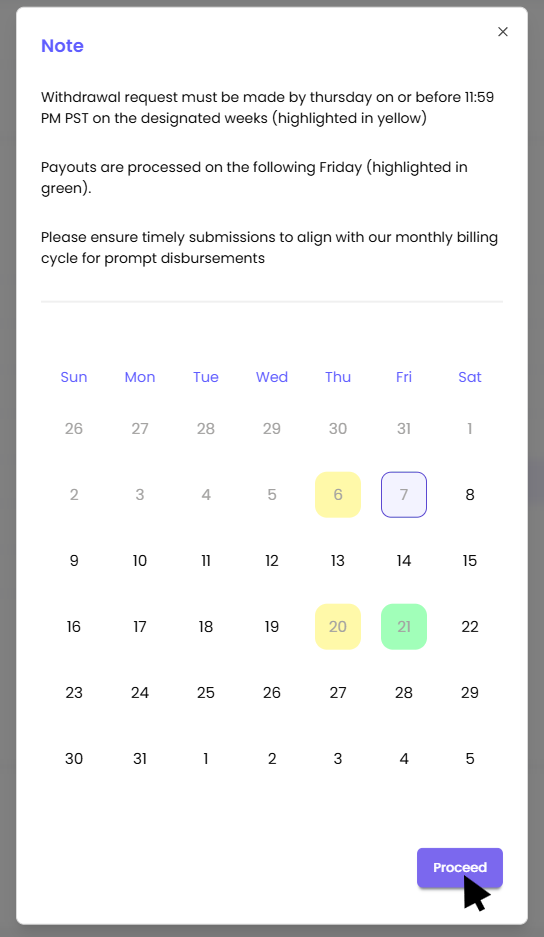
A pop-up with Note displays. Please read then click on proceed.
-
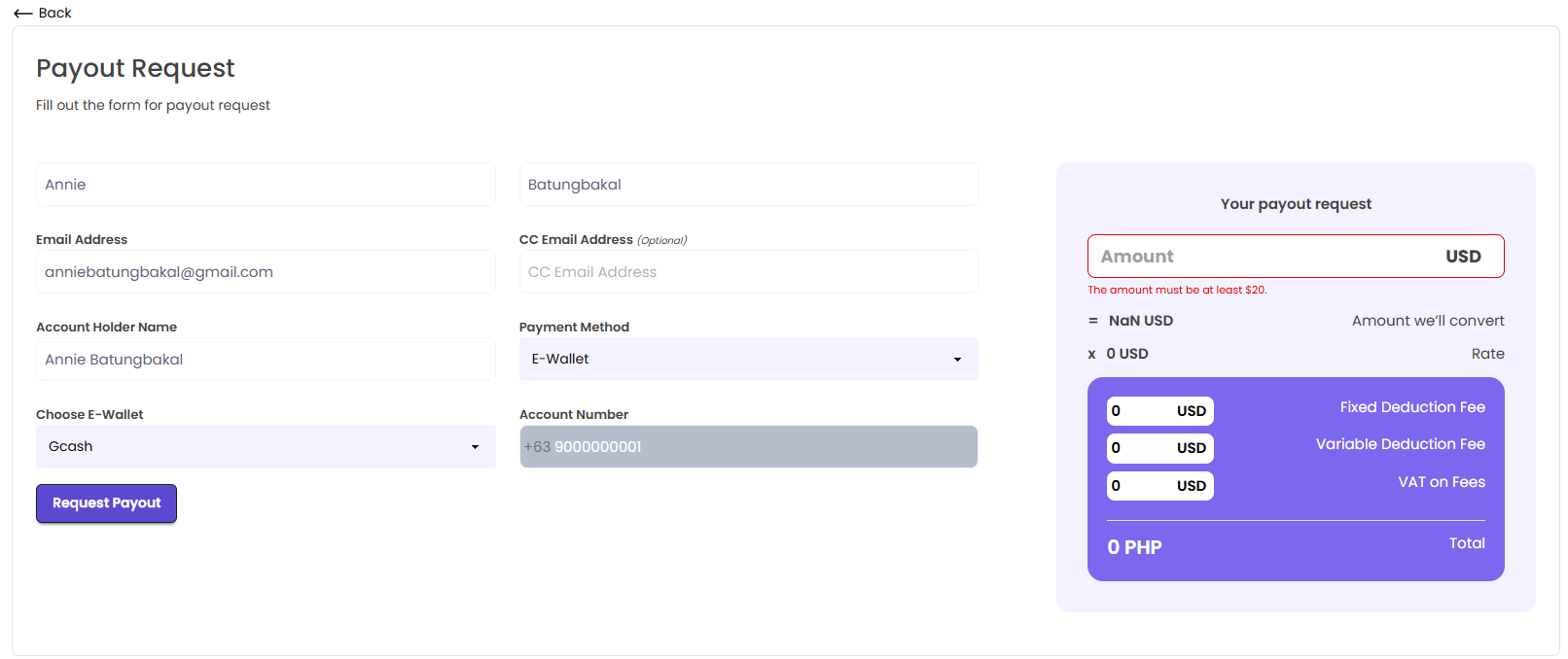
Fill out the payout request form:
-
Email Address (payout confirmation will be sent here)
-
CC Email Address (optional)
-
Account Holder Name (exactly as it appears on your payout account)
-
Account Number
-
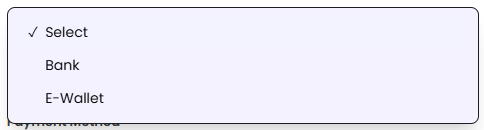
Payment Method — select from available options including bank transfer and e-wallets (GCash, Maya, and other major Philippine e-wallets)
-
Payout Amount (USD)
-
-
Review the payout summary on the right, which shows applicable deductions and the converted total.
-
Click Request Payout to submit.
Once submitted, your request will appear under the Pending tab while it's being reviewed.
Payout Methods
RemoteGenies supports the following payout methods:
-
Bank Transfer
-
E-wallet — GCash, Maya, and other major Philippine e-wallets
Payouts are processed through Wise. When you use an e-wallet option, you'll need to provide your account details (name, account number, and address as required). The platform syncs real-time processing statuses from Wise, so you can track your payout progress directly in your wallet.
Tracking Your Payout
After your payout is approved, you can track its progress from the payout receipt page. Statuses update in real time based on processing:
-
On its way to Wise
-
Processing
-
Sent
The receipt page also shows your transaction details, bank or e-wallet details, and reference number. You can download a PDF copy of your receipt directly from that page.
If a payout bounces back during processing, the status will automatically update to Cancelled in your wallet.
Cancelling a Payout Request
If your payout is still in Pending status, you can cancel it. Once a payout has been approved or is in processing, it can no longer be cancelled from your end.
Cut-Off and Processing Schedule
-
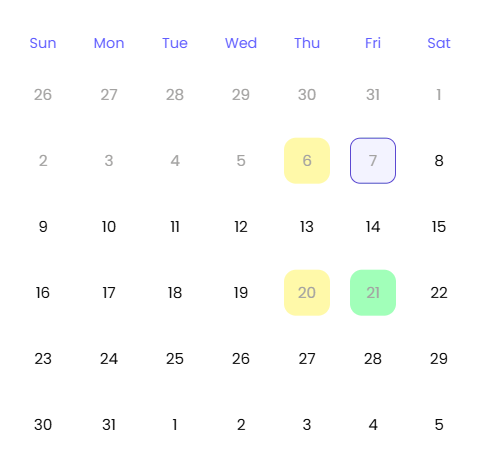
Submission deadline: Thursday, 11:59 PM PST during designated payout weeks (marked in yellow on the payout calendar).
-
Processing date: The following Friday (marked in green).
-
Requests submitted after the cut-off will roll over to the next payout cycle.
First-Time Withdrawal: Verification Required
Before your first payout can be processed, you need to complete identity verification. This includes submitting:
-
A government-issued ID
-
Selfie verification
Your payout will stay in Pending until verification is reviewed and approved. Make sure to complete this early so it doesn't delay your first payout.
When Payouts May Be Delayed
Your payout may be held if:
-
There is an active dispute on a related task
-
A fraud or policy review is in progress
-
Your payout account details are incorrect or incomplete
Double-check your account details before submitting. Incorrect information can result in a failed transfer or additional processing time.
Minimum Payout Balance
There is a minimum wallet balance required before a payout can be approved. Ensure your available balance meets this threshold before submitting a request.
