
Step 6: Review Output & Approve Task
This is the final step in the task lifecycle. Once your Genie submits their output, you review it, request changes if needed, approve it, and leave feedback. Here's exactly how that works.
1. Task Moves to Review
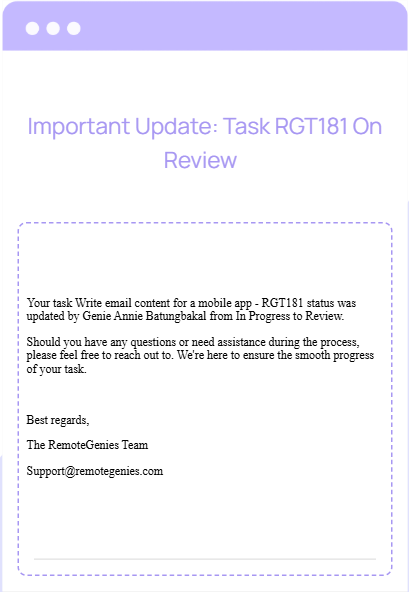
When your Genie finishes work and submits their output, the task status updates from In Progress to Review. You'll receive an email notification confirming this status change.
At this point, your coordinator is also looped in — they evaluate the output to ensure all task requirements are met before the transition to completion is approved.
2. Check the Output in Chat
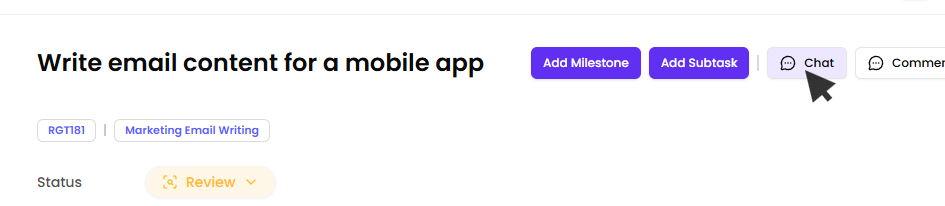
Open the task and go to the Chat tab. This is where your Genie will have posted their final output — any attached files, links, notes, or delivery message.
Download and review everything:
-
Does it match your original instructions?
-
Are all deliverables present?
-
Is the quality up to standard?
3. Request Revisions if Needed
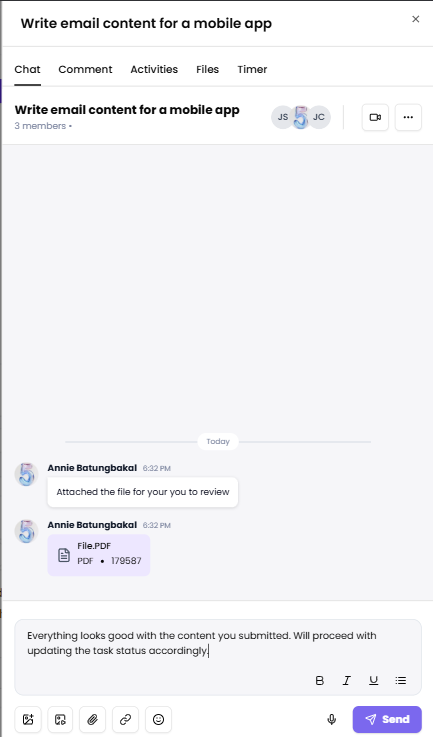
If something needs adjustment, message your Genie directly in Chat. Be specific about what needs to change. Your Genie will revise and resubmit.
If everything looks good, move to the next step.
4. Move the Task to Approved
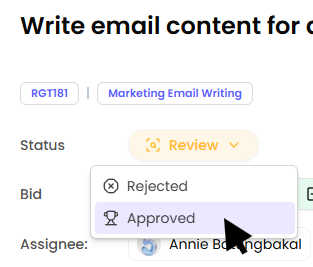
Once you're satisfied with the output, update the task status to Approved. This signals that you've accepted the work.
After you request this status change, your coordinator reviews the task to confirm all criteria are fulfilled before the transition is granted.
Important: Once the task is in Approved status, you have a 7-day window to report any discrepancies or issues. If no concerns are raised within 7 days, the task automatically moves to Completed and is closed.

5. Leave Feedback for Your Genie
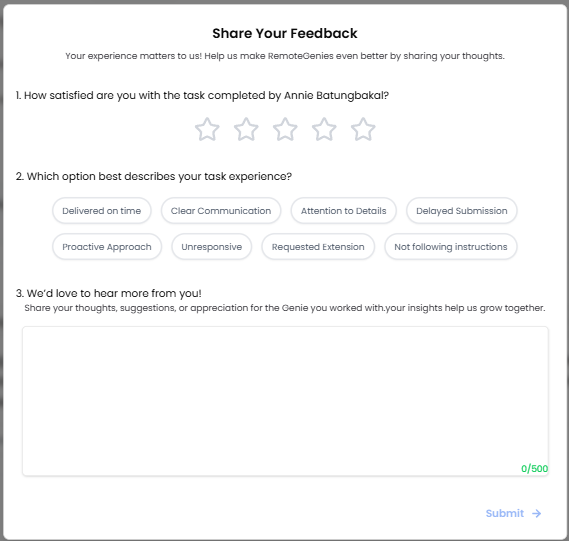
After the task reaches Completed status (or when you click the Rate button on a completed task), a feedback form appears as a pop-up. You can only submit this once per task.
The form has three parts:
Satisfaction Rating
Rate your overall experience: 1 to 5 stars.
The form will not let you submit until at least a star rating is selected.
Experience Tags
Select all tags that apply to your experience (you can choose multiple):
PositiveNegativeDelivered on timeDelayed submissionClear communicationUnresponsiveAttention to detailsRequested extensionProactive approachNot following instructions
Comments (Optional)
Leave any additional thoughts, appreciation, or suggestions in the text box (up to 500 characters).
Click Submit when done.
Summary: What Happens at Each Stage
The task status is automatically updated to Review by Genie once the output has been submitted. The Client, with the help of their assigned Coordinator, then review the submitted work. Once the Client accepts the work, the Client updates the task status to Approved.
After remaining in Approved status for 7 days, the task is automatically updated to Completed and closed. The task may also be closed earlier if completion is confirmed by the Client.
Common Questions
What if I find an issue after approving?
You have 7 days from the Approved status to raise any concerns. After that window closes, the task is automatically marked Completed and closed.
Can I submit feedback more than once?
No. Each task allows only one feedback submission per client.
Who reviews my approval request?
Your dedicated project coordinator evaluates the task before the status change is granted — they confirm all requirements have been met.
Full interactive demo
Click through the demo at your own pace — no login required.
