
Add or Update Skillsets on Your Genie Profile
Your skillsets tell clients exactly what you can do. They appear as badges on your profile and are a core part of how you get matched to tasks — so keeping them accurate matters.
How skillsets are set
Skillsets are no longer selected during the signup form. Instead, they are determined through the Expertise Assessment, which you complete as part of the registration and vetting process. The assessment covers your area of expertise and automatically maps the corresponding skillsets to your profile.
How skillsets appear on your profile
Once set, your skillsets show up as badges on your profile page. Clients browsing the platform can hover over a skillset chip to see the full list of associated skills — so your secondary and supporting skills are visible too, not just the primary label.
How to update your skillsets
If your skills have changed or you want to add new ones, you can update them by retaking the assessment.
-
Log in to your RemoteGenies account. Then go to your profile.
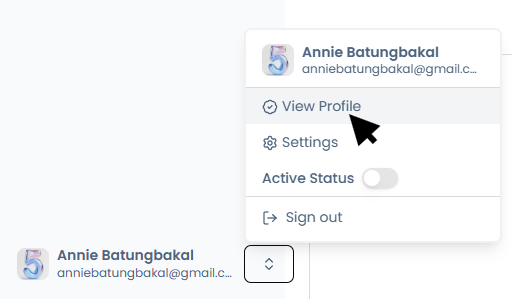
-
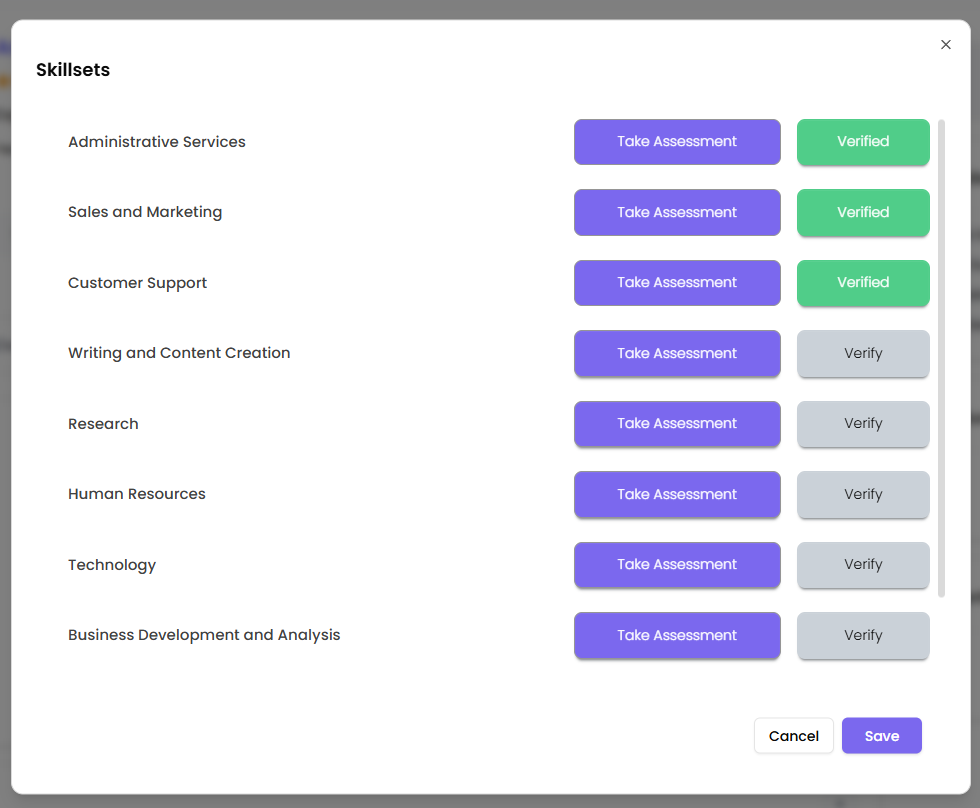
Look for the Skillsets section and click on the + button.
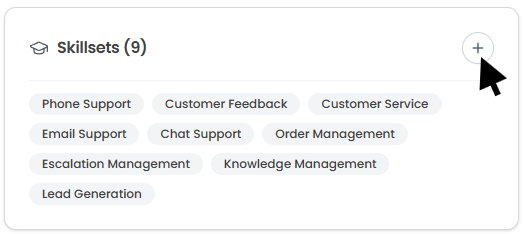
-
Select the skillset you want to Take Assessment in.
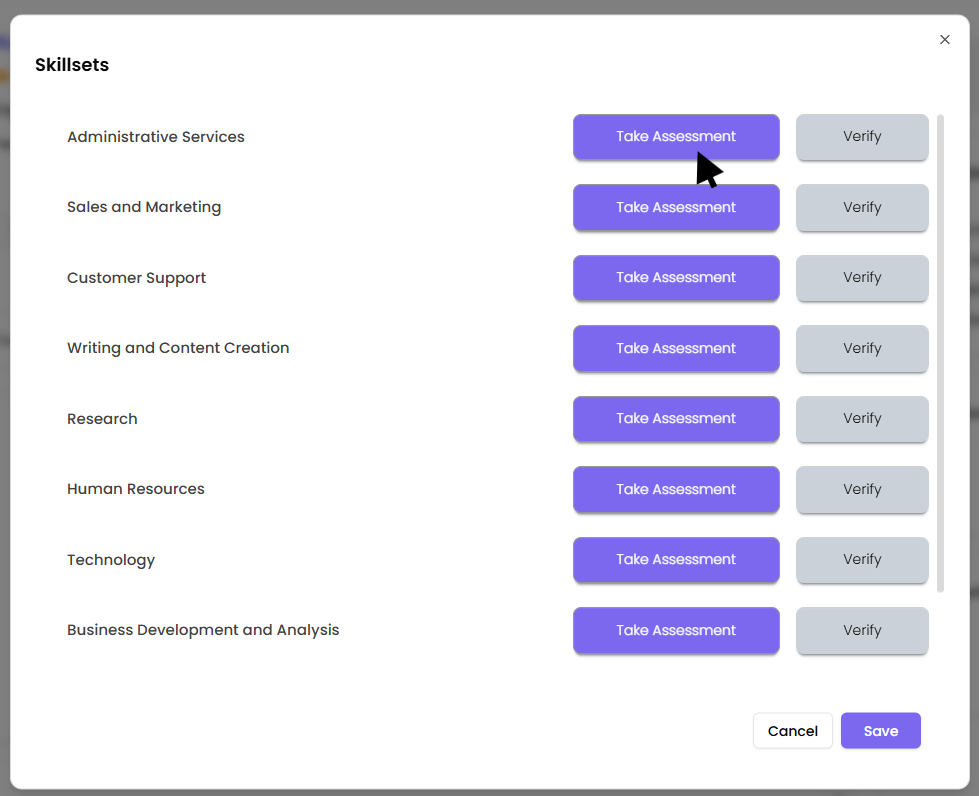
-
Start Skills assessment by filling in your RG registered email, first name, last name, and mobile number
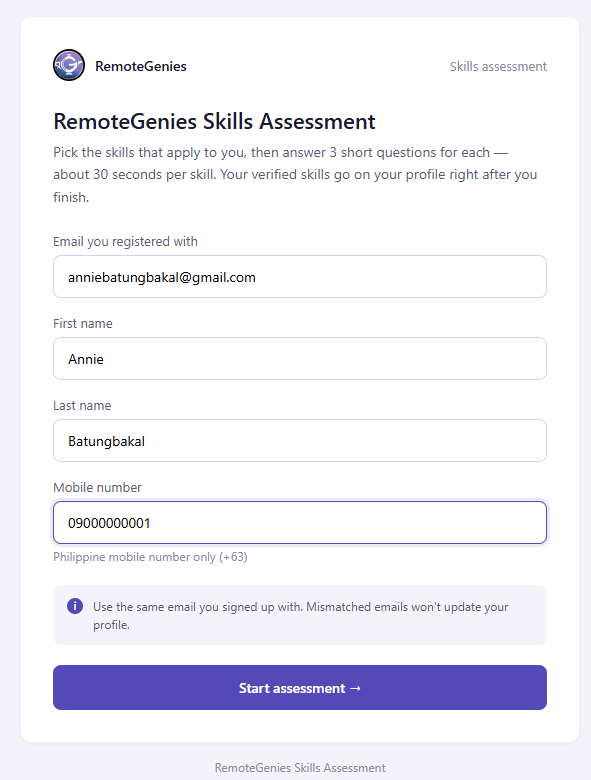
-
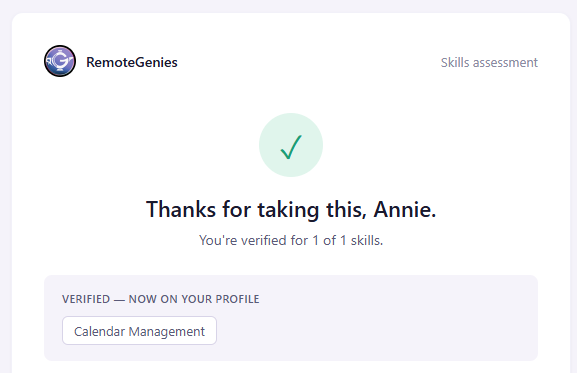
Complete the assessment
-
Go back to Skillsets in profile and click on Verify for your Assessment taken.

-
All taken assessments for skillset should be verified.
You do not need to contact support to do this. The retake option is self-serve.
What clients see
When a client views your profile or the Genie list, your skillset chips are displayed. Hovering over a chip shows a tooltip with all additional skills associated with that skillset — so even niche or secondary skills are surfaced without the client needing to dig deeper.
Tips
-
Make sure you complete the assessment thoroughly — the more accurately you answer, the better your skillset badges will reflect your actual capabilities.
-
After retaking the assessment, check your profile to confirm the updated skillsets are showing correctly.
-
Accurate skillsets improve your chances of being matched to the right tasks.
